
Most chat applications stop at keyword search. Developers now need semantic retrieval, real-time synchronization, and AI native infrastructure without stitching multiple providers together. Traditional stacks require manual setup for database, real-time messaging, vector search, hosting, and model integration. This slows iteration and reduces reliability when working with AI coding agents.
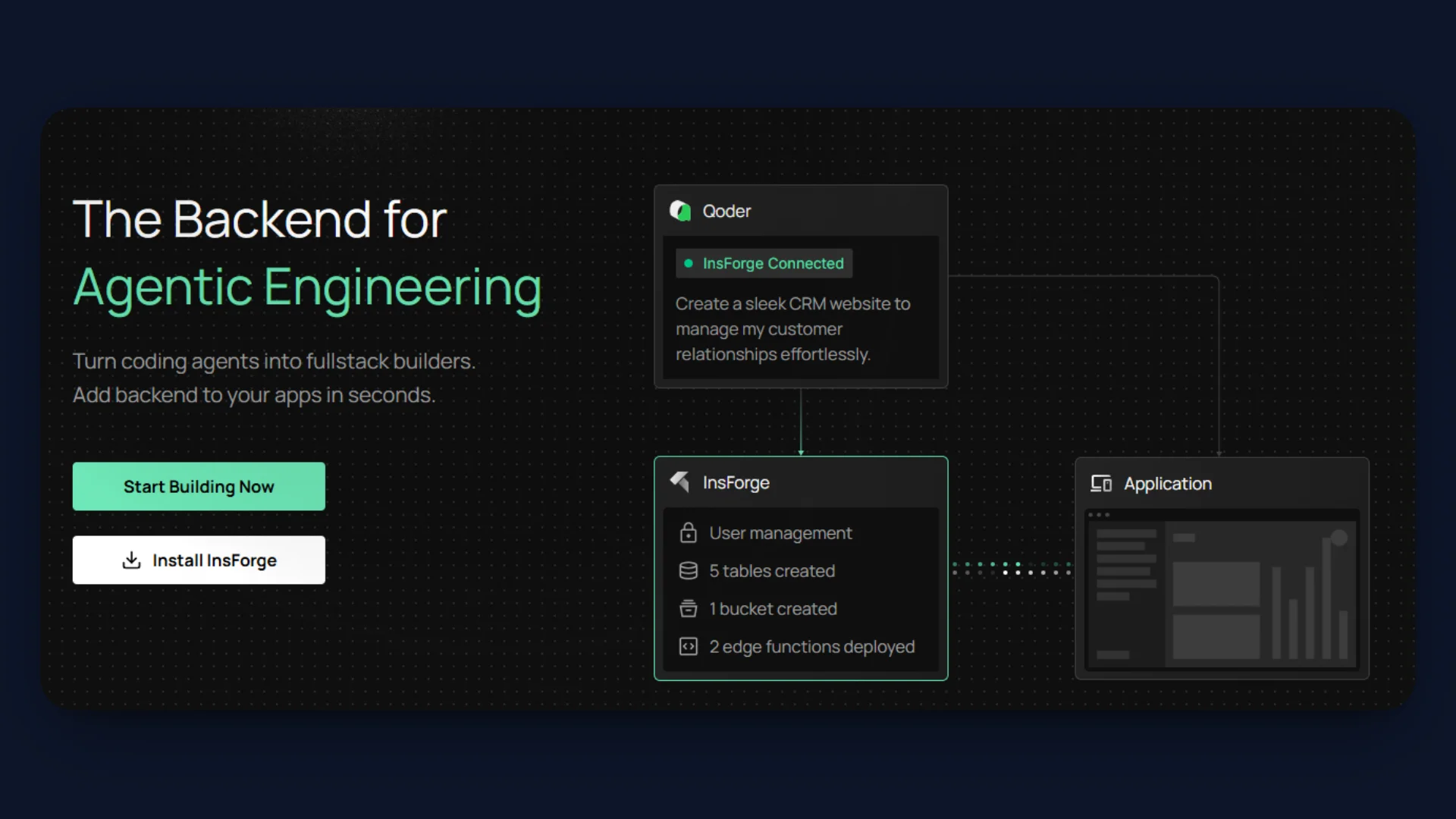
InsForge connects coding agents directly to a production backend through MCP. Benchmarks show measurable improvements. Agents complete backend tasks 1.6x faster, use 2.4x fewer tokens.
This tutorial builds a real-time semantic chat application using Gemini embeddings, pgvector, and InsForge from development to production.
What We Are Building
The Use Case: This application enables semantic messaging, where users can search conversations by meaning instead of exact keywords. It turns chat history into structured, vector-searchable memory using Gemini embeddings and pgvector. The same architecture can power team collaboration tools, support systems, and AI native knowledge platforms.
Here is what we will be building:
- We are building a room based realtime chat application using InsForge as the backend platform.
- Messages propagate instantly across connected clients through InsForge Realtime using WebSocket subscriptions.
- Each message is converted into a 768-dimensional Gemini embedding and stored in PostgreSQL using the pgvector extension.
- Semantic search retrieves contextually similar messages within a room using cosine distance over vector embeddings.
- The backend infrastructure is agent operable through MCP, which allows AI coding agents to inspect and modify the database schema, extensions, triggers, and configuration directly from the IDE.
- We use the InsForge CLI to link the local Next.js project to the InsForge backend, manage environment configuration, and deploy the full-stack application to InsForge hosting.
Step 1: Connect InsForge MCP
Create a new InsForge project from the dashboard.
Install InsForge MCP in the IDE and connect it to the project.
Confirm the MCP Connected indicator before proceeding.
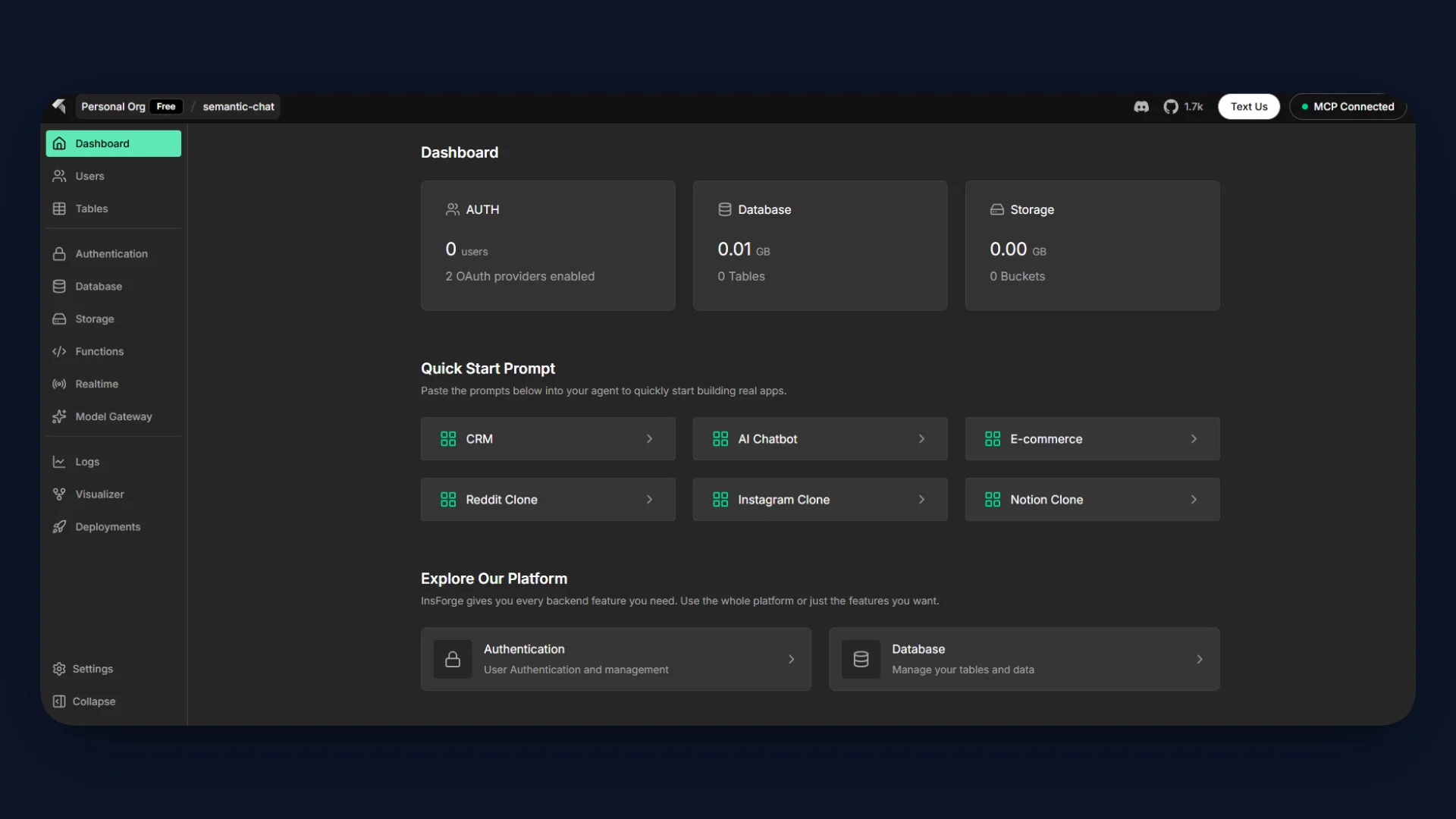
This enables direct agent-level control over:
- Database schema
- Extensions
- Realtime configuration
- Functions and triggers
No manual SQL console work is required.
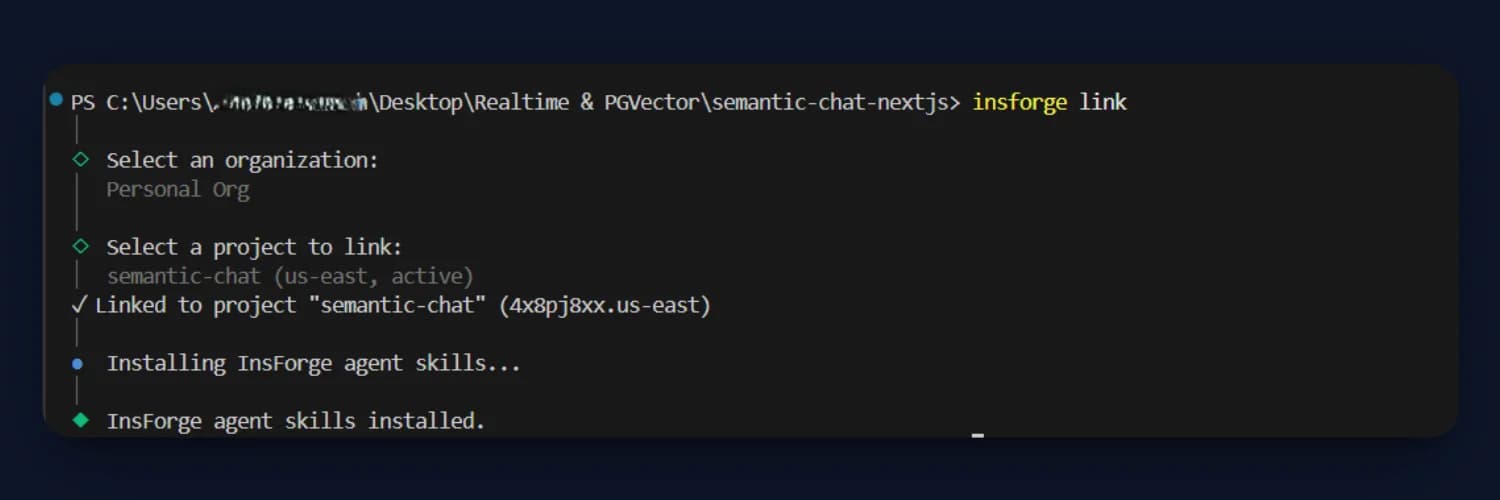
You can also use the InsForge CLI to link the local project. This connects the local codebase to the backend project for inspection and deployment.
Step 2: Enable pgvector
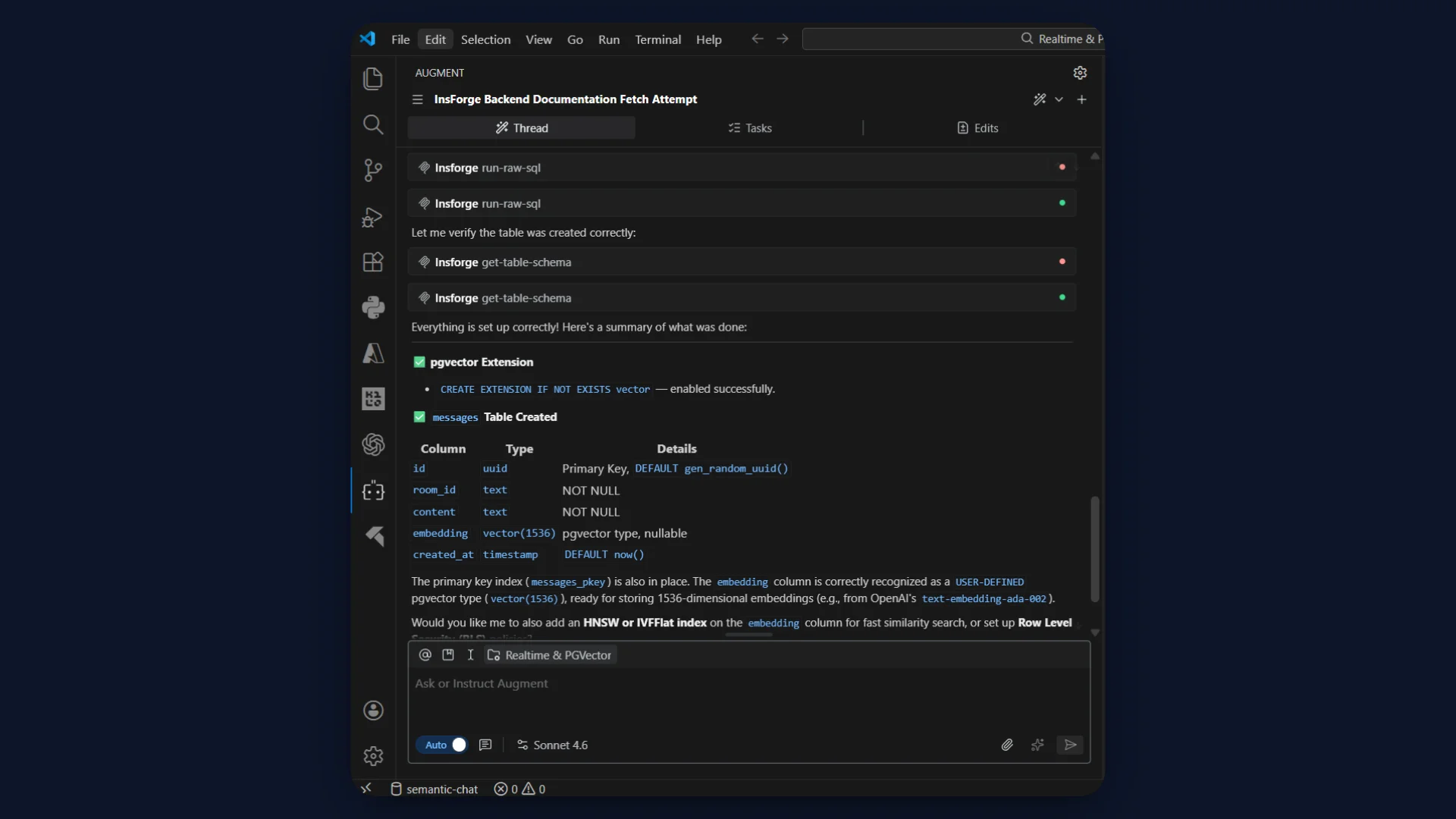
pgvector enables native vector storage and similarity search inside PostgreSQL.
MCP Prompt
Enable the PostgreSQL vector extension in this project.
Expected SQL:
CREATE EXTENSION IF NOT EXISTS vector;
Step 3: Create Messages Table
Each message stores content and a Gemini embedding vector.
Gemini model used: embedding-001
Vector dimension: 768
MCP Prompt
Create a table called messages with:

- id uuid primary key default gen_random_uuid()
- room_id text not null
- content text not null
- embedding vector(768)
- created_at timestamptz default now()
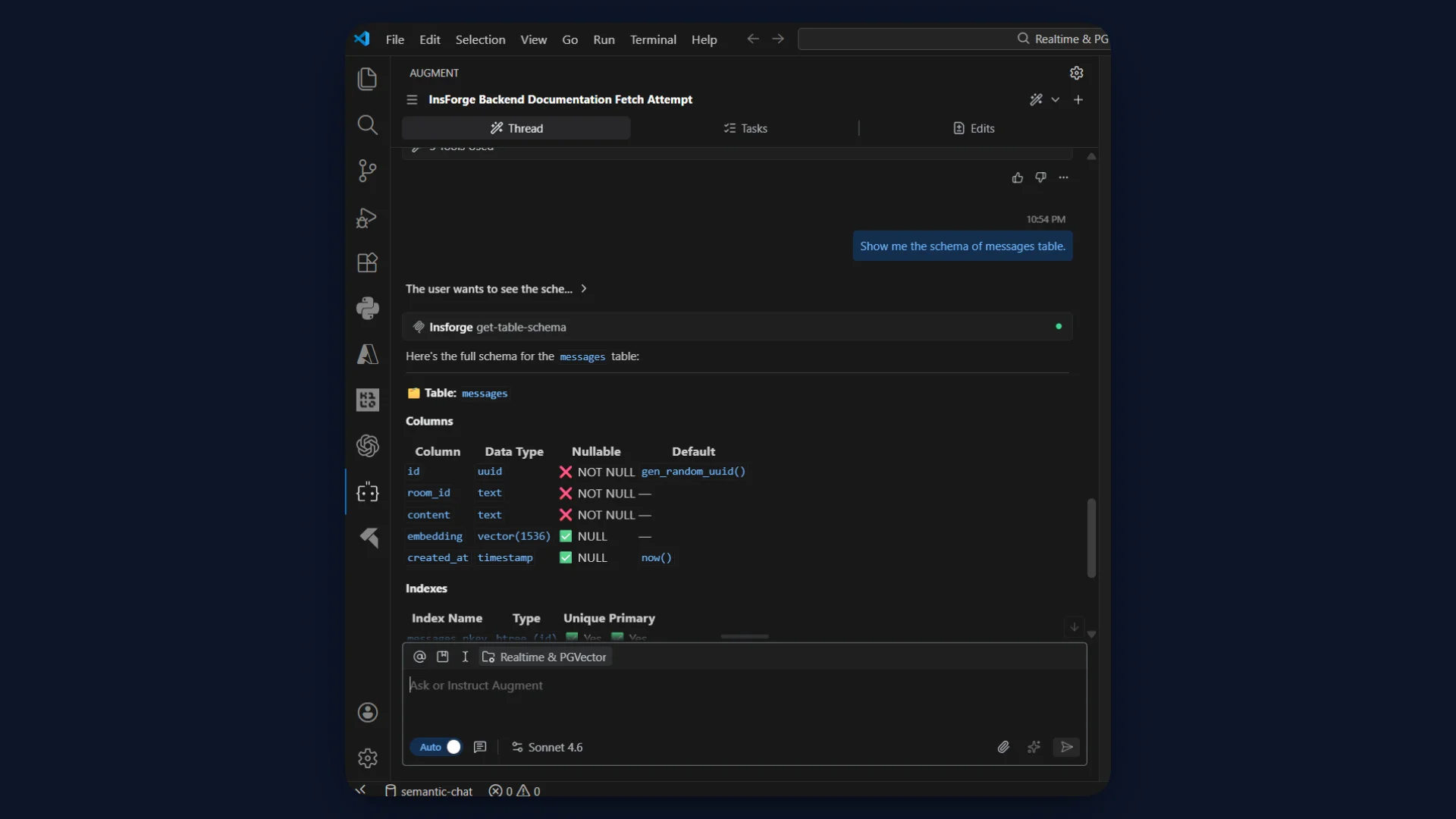
Verify Schema
Show me the messages table schema.
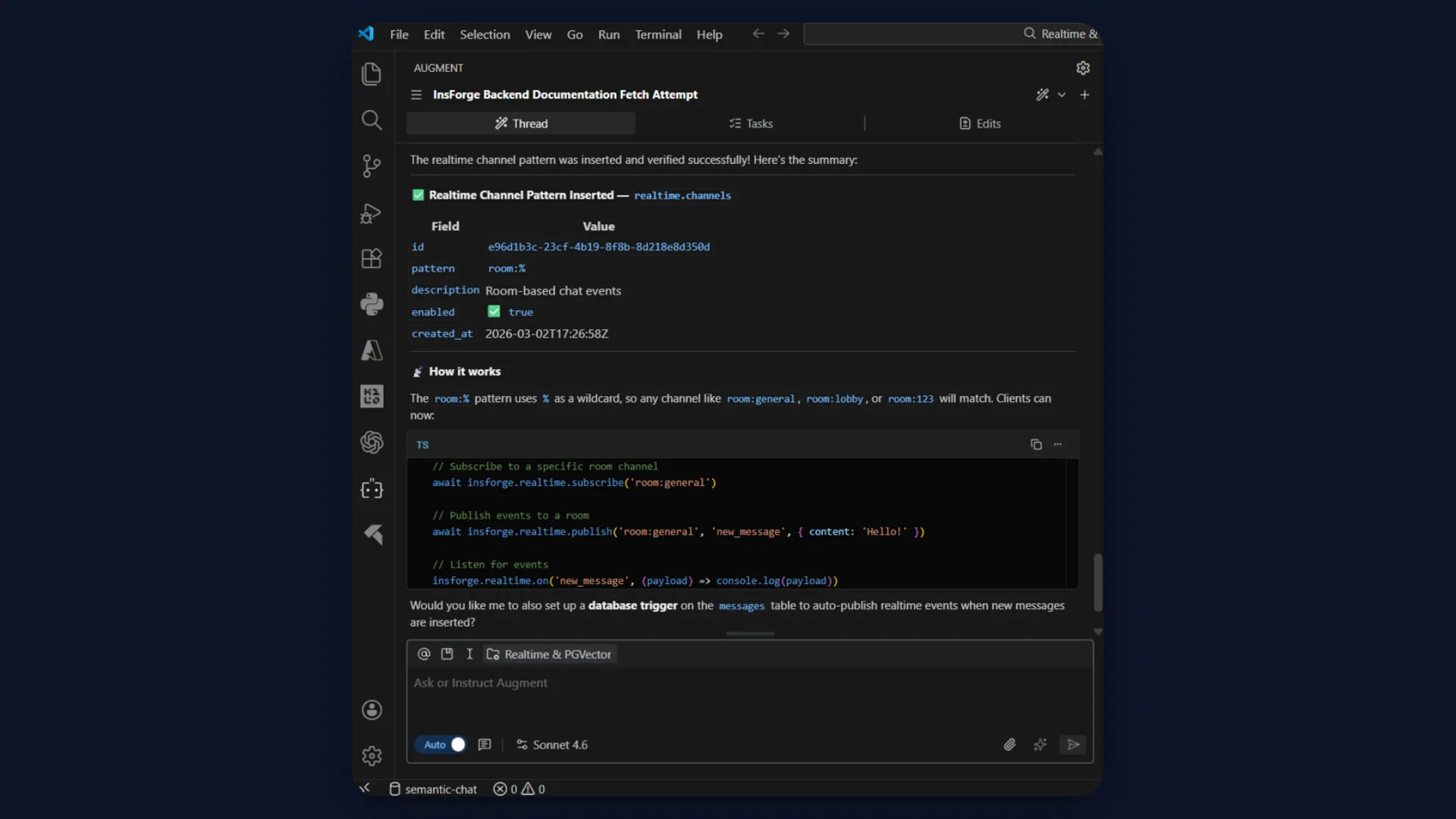
Step 4: Configure Realtime Channel
Realtime channels define how messages are scoped per room.
The pattern room:% enables dynamic room subscriptions.
MCP Prompt
Insert a realtime channel pattern:

pattern: 'room:%'
description: 'Room based chat events'
enabled: true
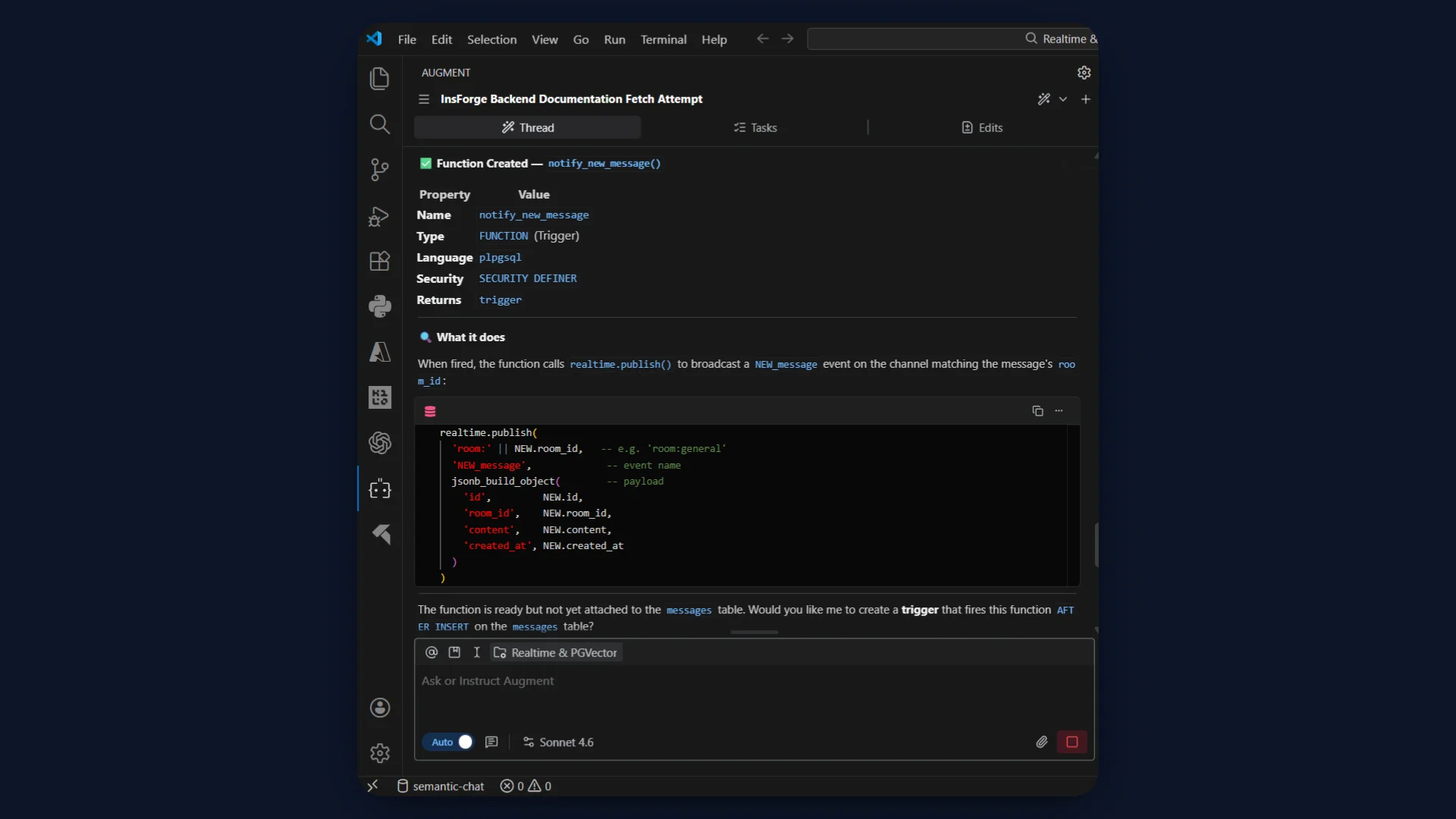
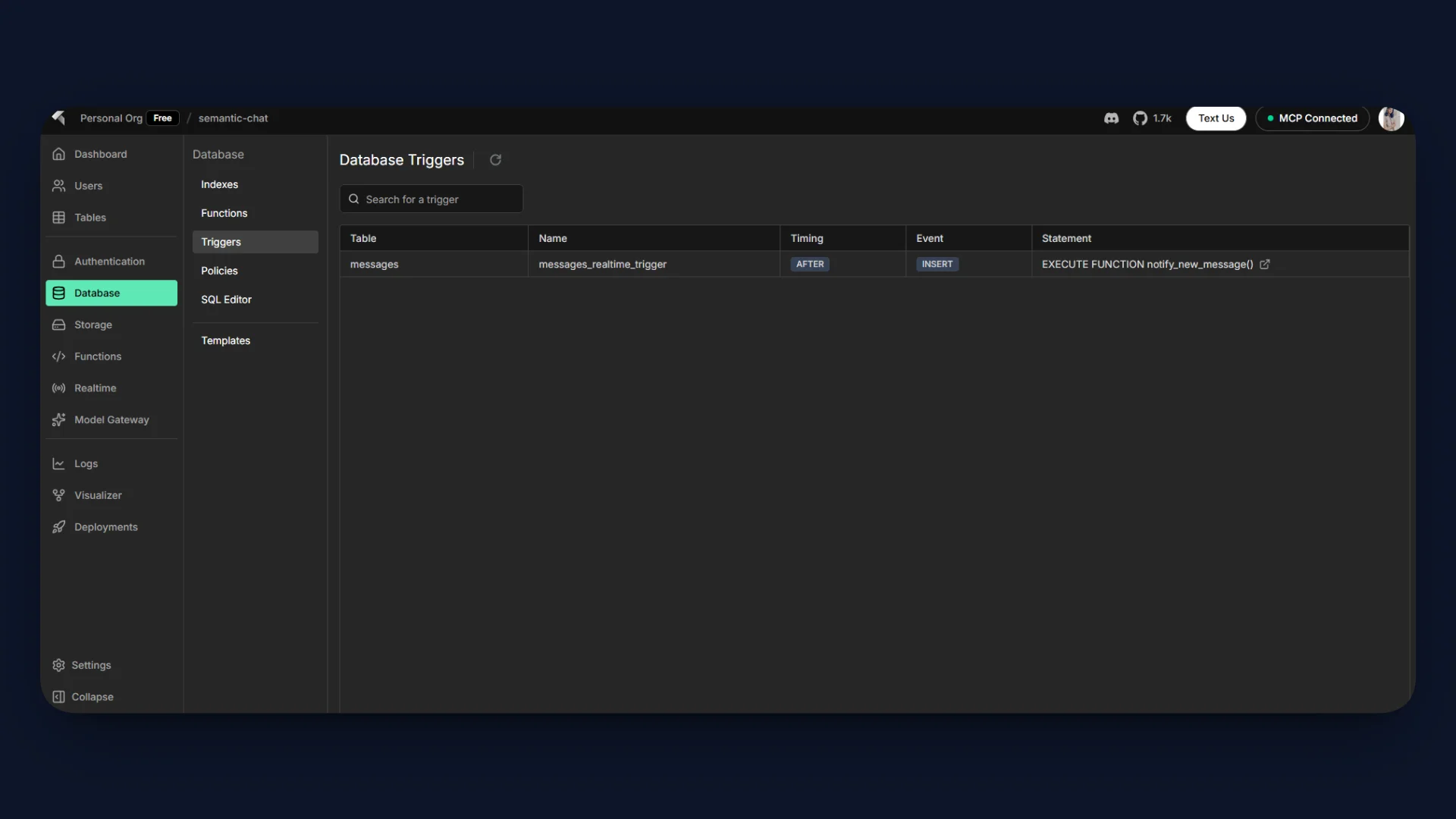
Step 5: Create Realtime Trigger Function
PostgreSQL must publish events when a message is inserted.
This function calls realtime.publish().
MCP Prompt
Create a PostgreSQL function called notify_new_message.

It should call realtime.publish(
  'room:' || NEW.room_id,
  'NEW_message',
  jsonb_build_object(
    'id', NEW.id,
    'room_id', NEW.room_id,
    'content', NEW.content,
    'created_at', NEW.created_at
  )
)

Language plpgsql.
Security definer.
Return NEW.
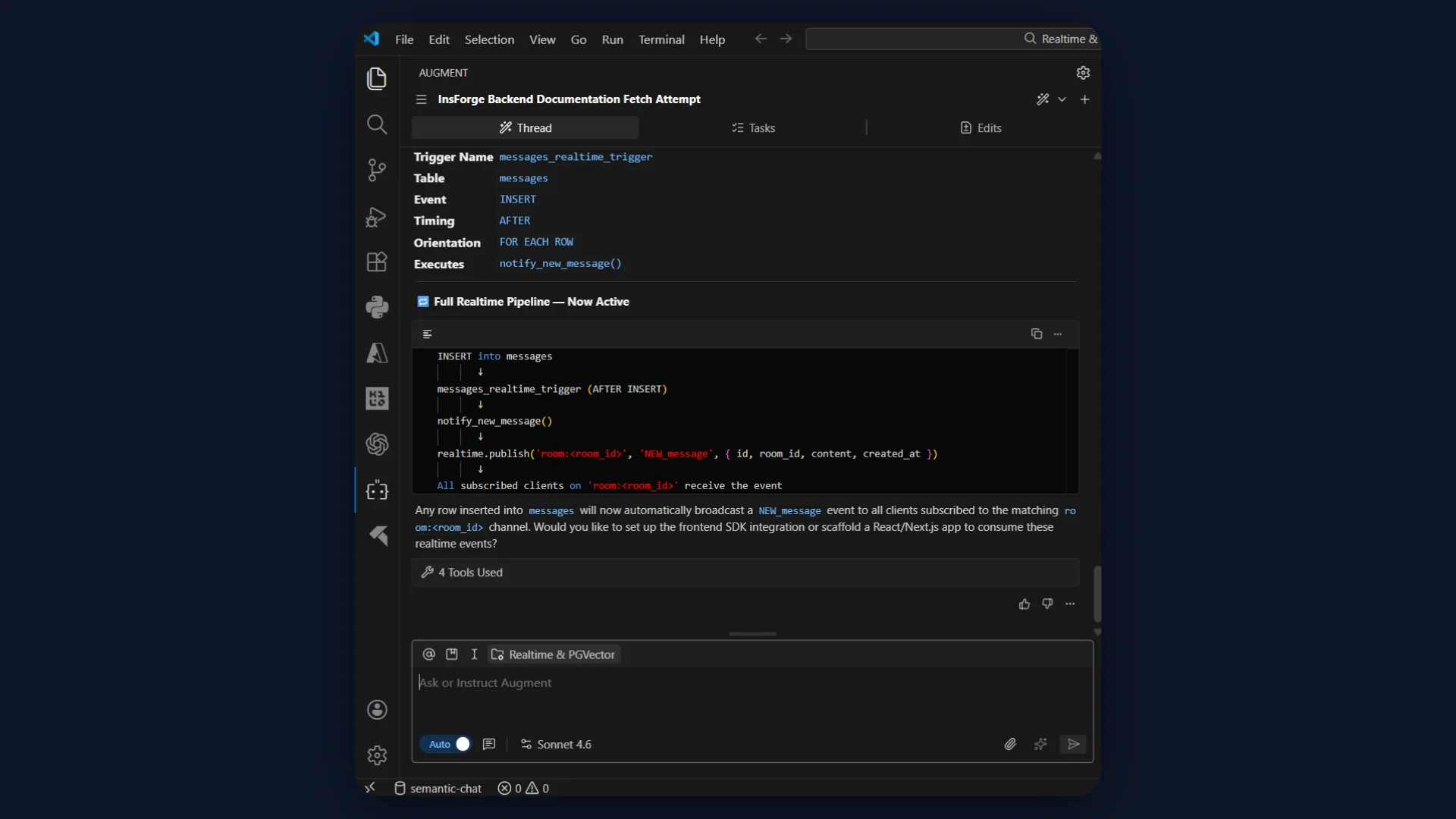
Step 6: Attach AFTER INSERT Trigger
This connects database writes to realtime broadcast.
MCP Prompt
Create an AFTER INSERT trigger on messages table
that executes notify_new_message.
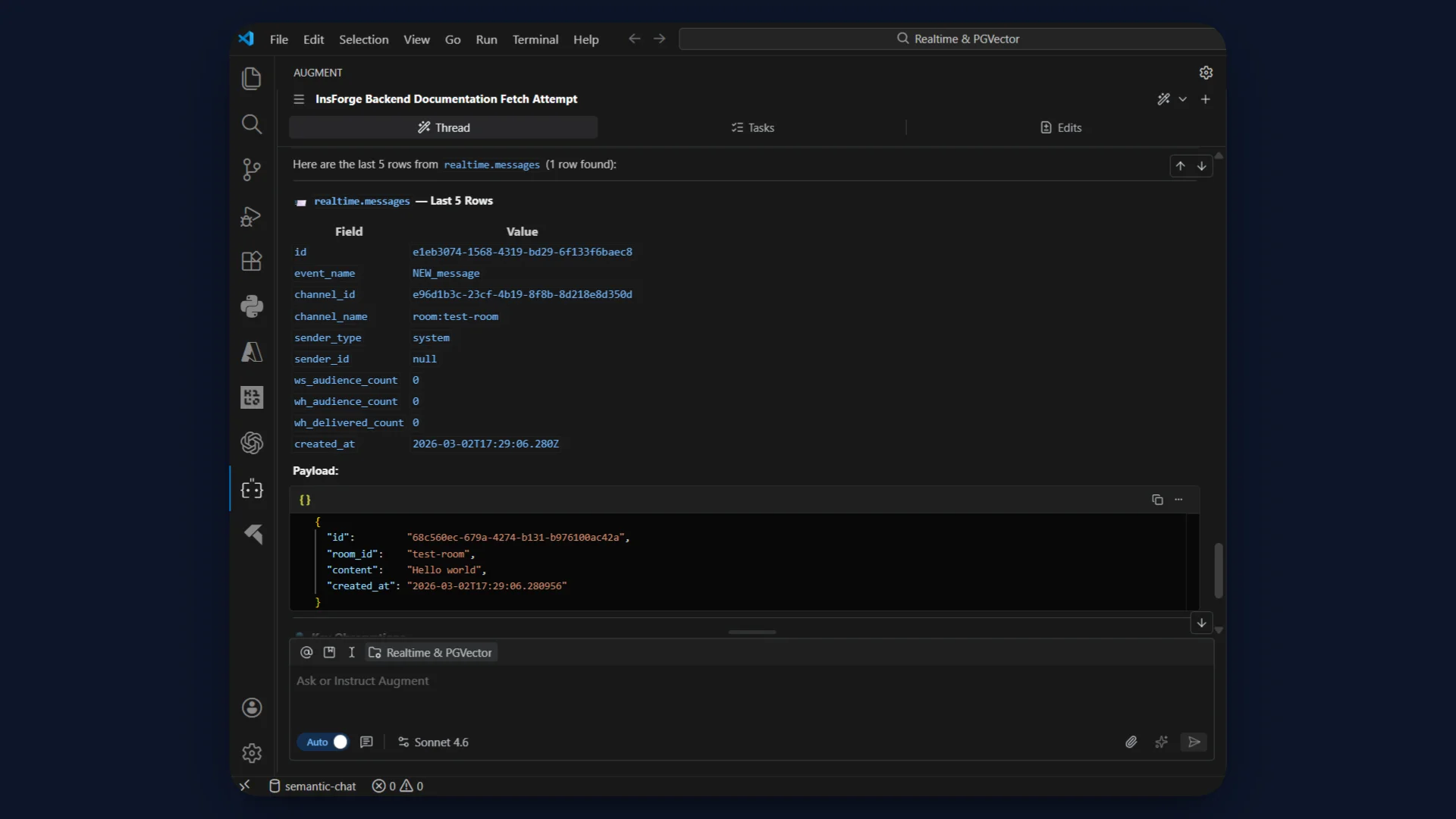
Step 7: Validate Realtime Pipeline
Insert a test message directly via MCP.
MCP Prompt
Insert a test message into messages table with:

room_id = 'test-room'
content = 'Hello world'
embedding = null
Then verify:
Show last 5 rows from realtime.messages.
If NEW_message appears, the trigger and realtime pipeline are active.
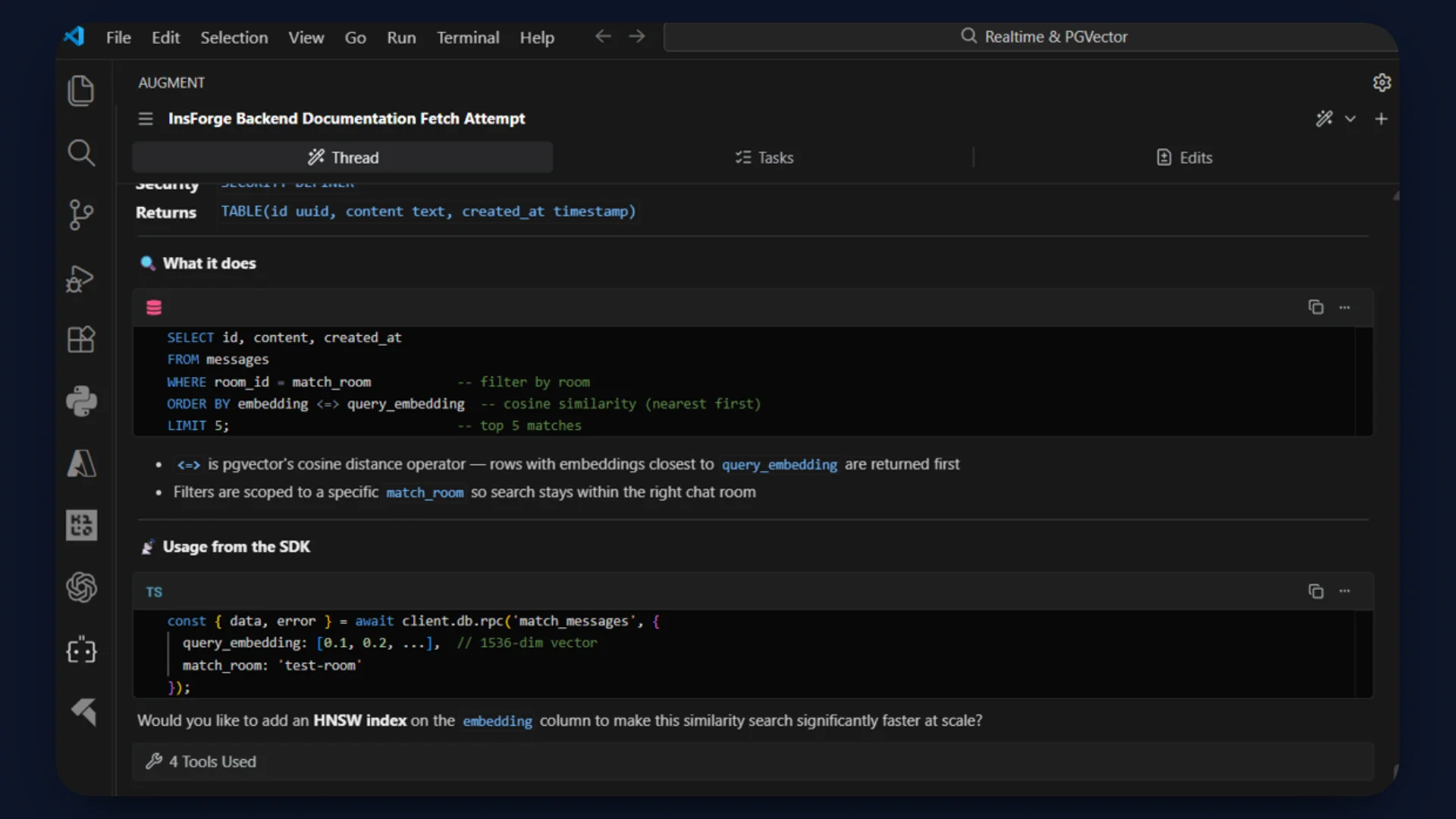
Step 8: Create Semantic Similarity Function
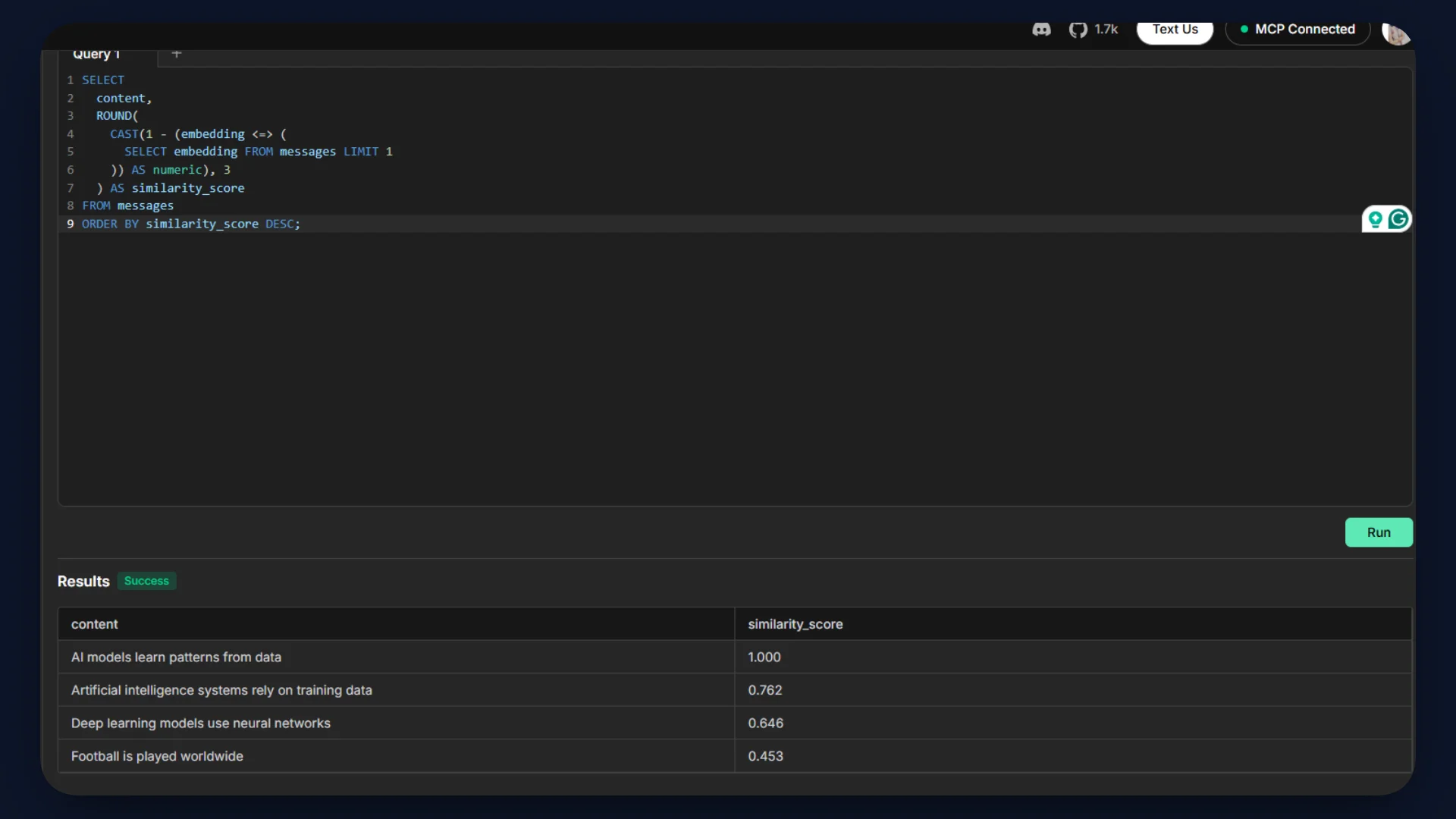
Semantic search requires cosine similarity over vectors.
Distance operator used: <=>
Metric: Cosine distance
Model: Gemini embedding-001
Dimension: 768
MCP Prompt
Create a SQL function called match_messages.

Parameters:
- query_embedding vector(768)
- match_room text

It should:
- Return id, content, created_at
- Filter by room_id = match_room
- Order by embedding <=> query_embedding
- Limit 5
Step 9: Add HNSW Index
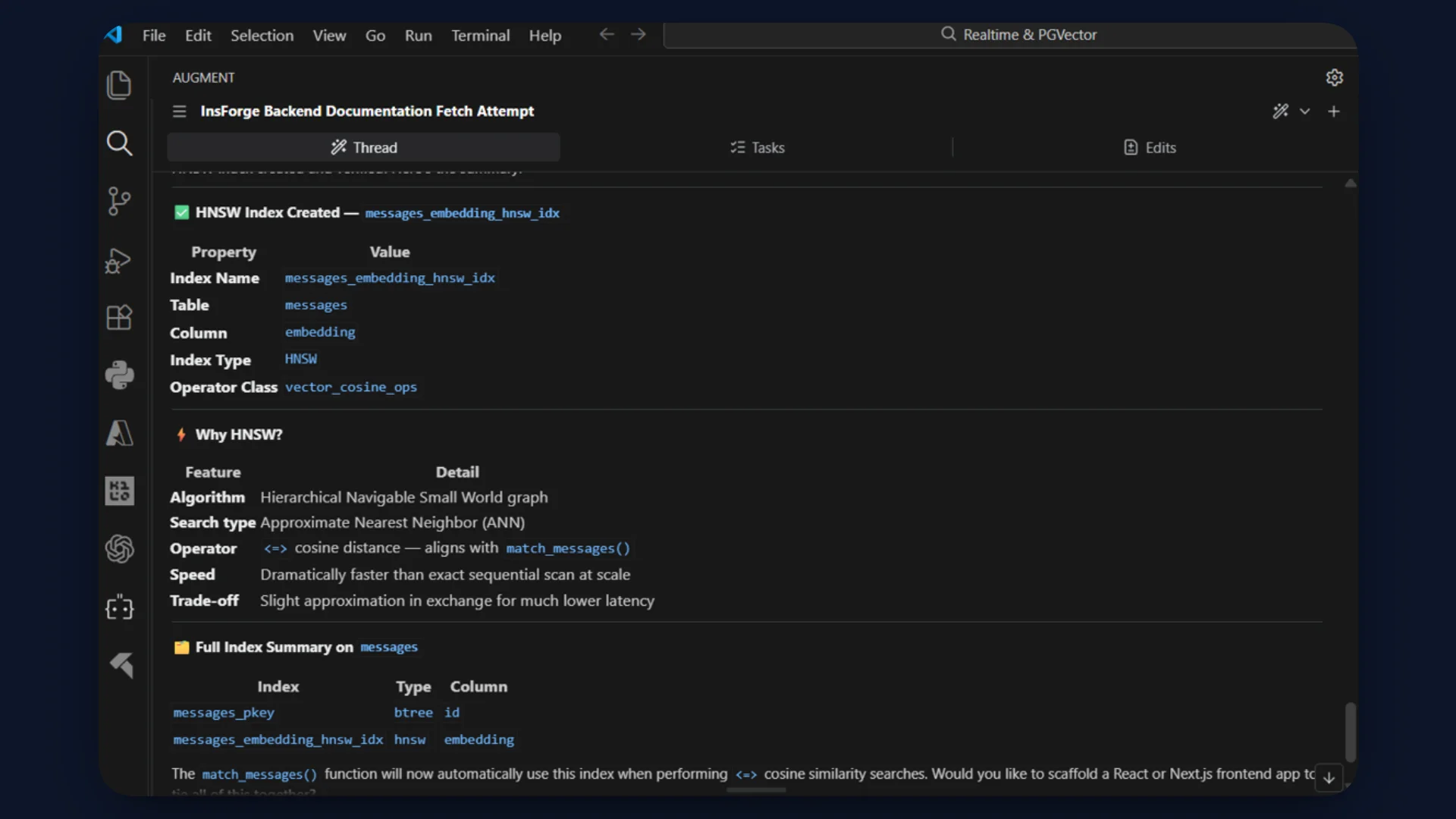
HNSW enables fast approximate nearest neighbor search.
Operator class used: vector_cosine_ops
MCP Prompt
Create an HNSW index on messages.embedding
using vector_cosine_ops.
Inspecting with CLI (Optional)
The InsForge CLI can be used to:
- Inspect schema
- Check triggers
- Verify indexes
- Manage environment configuration
- Deploy the application
Examples:
# Run any SQL query
insforge db query "SELECT * FROM posts ORDER BY created_at DESC LIMIT 10"

# Explore your schema
insforge db tables
insforge db indexes
insforge db policies
insforge db triggers
insforge db functions
Refer detailed CLI commands here.
Step 10: Build the Application with Next.js
Use an AI coding agent to generate the Next.js application. The agent creates a Next.js 15 project with the App Router and TypeScript and connects it to the InsForge backend.
The frontend UI lives in page.tsx as a client component, while all embedding logic runs inside server-side API routes.
Key structure:
page.tsxhandles UI, room switching, and WebSocket subscription./api/sendgenerates a Gemini embedding usingembedding-001and inserts the message into PostgreSQL./api/searchembeds the query and callsmatch_messagesfor cosine similarity ranking./api/messages/[roomId]fetches the latest 50 messages for a room.
Create a .env.local file with:
GEMINI_API_KEY=
NEXT_PUBLIC_INSFORGE_URL=
NEXT_PUBLIC_INSFORGE_ANON_KEY=
The Gemini key stays server-side.
The NEXT_PUBLIC_ keys allow the browser to connect to InsForge Realtime.
Refer to the repository for the full source code and structure.
Step 11: Deploy with InsForge CLI
Link the local project to the InsForge backend:
insforge login
insforge link
Deploy the full-stack application:
insforge deployments deploy
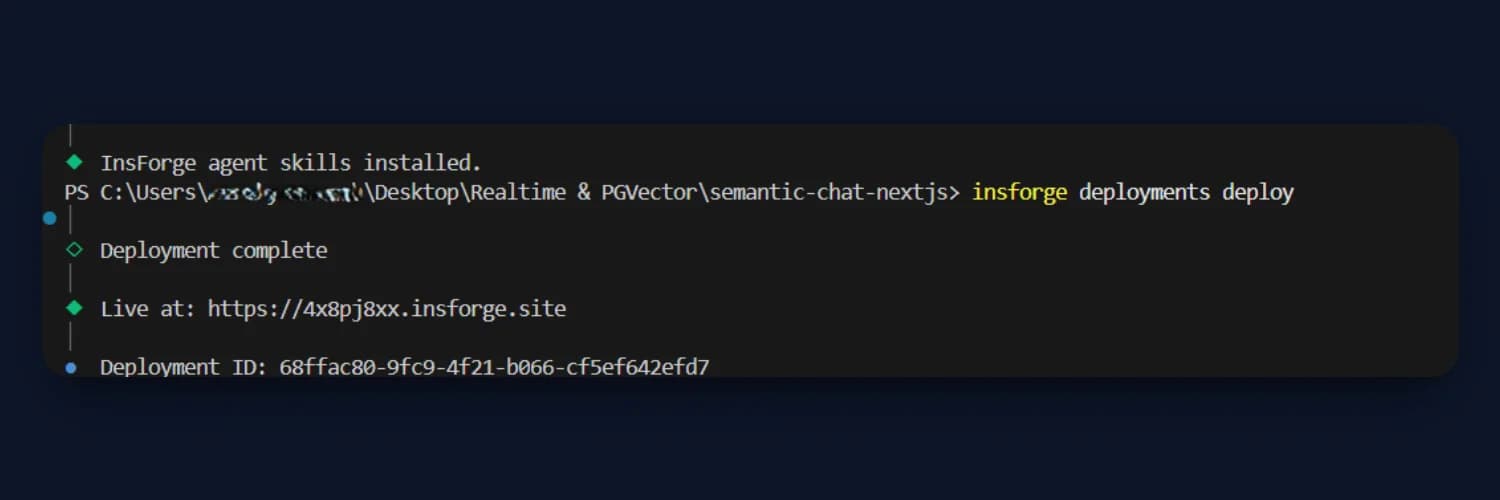
This deploys:
- Next.js frontend
- API routes
- Environment configuration
The application becomes accessible via the InsForge-hosted domain.
Step 12: Test the Application
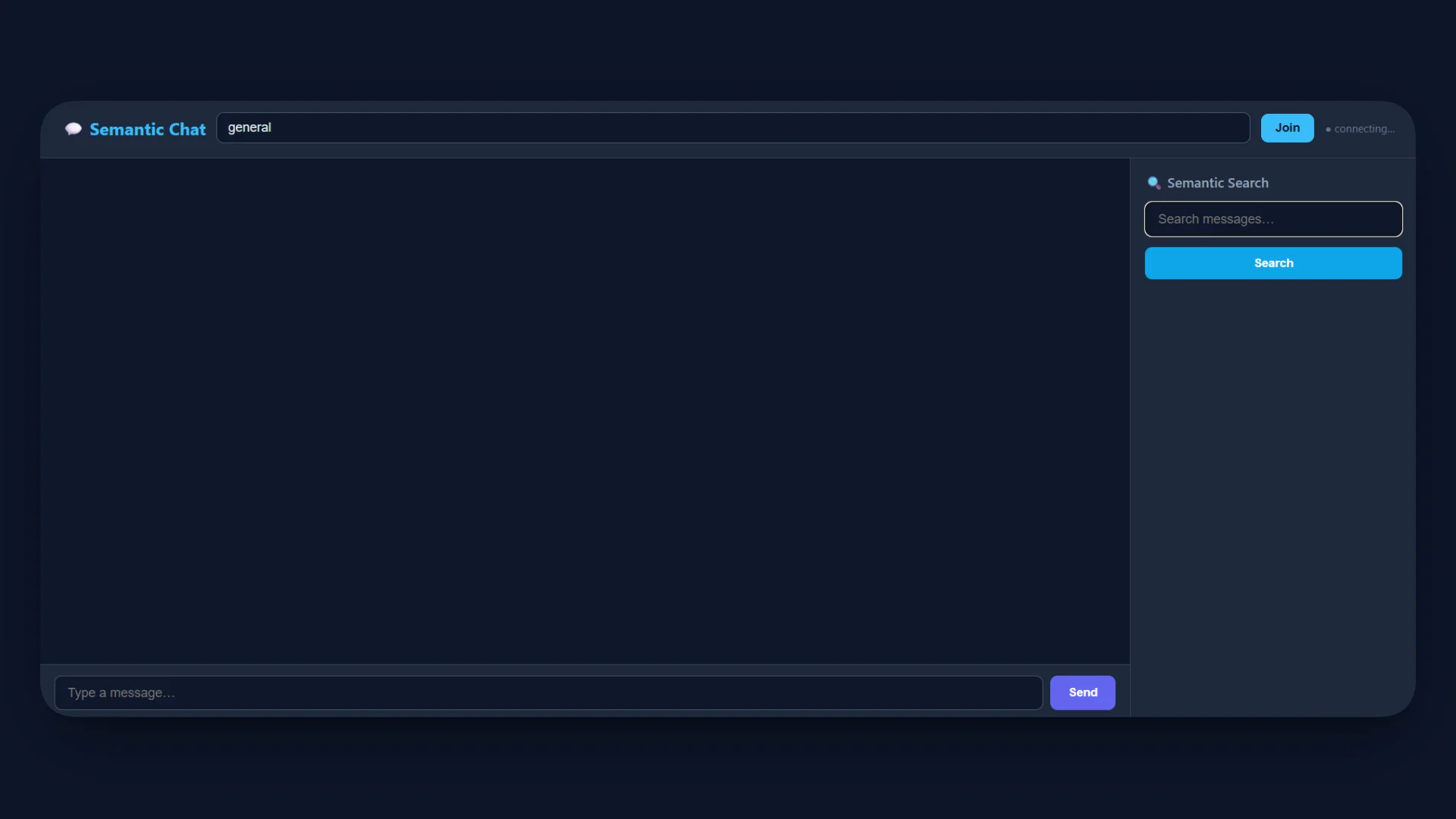
Normal Flow Test
- Open the deployed URL.
- Join the default room
general. - Send a message.
- The message appears instantly in the chat panel.
- The message is not manually appended in the UI. It arrives through the WebSocket
NEW_messageevent.
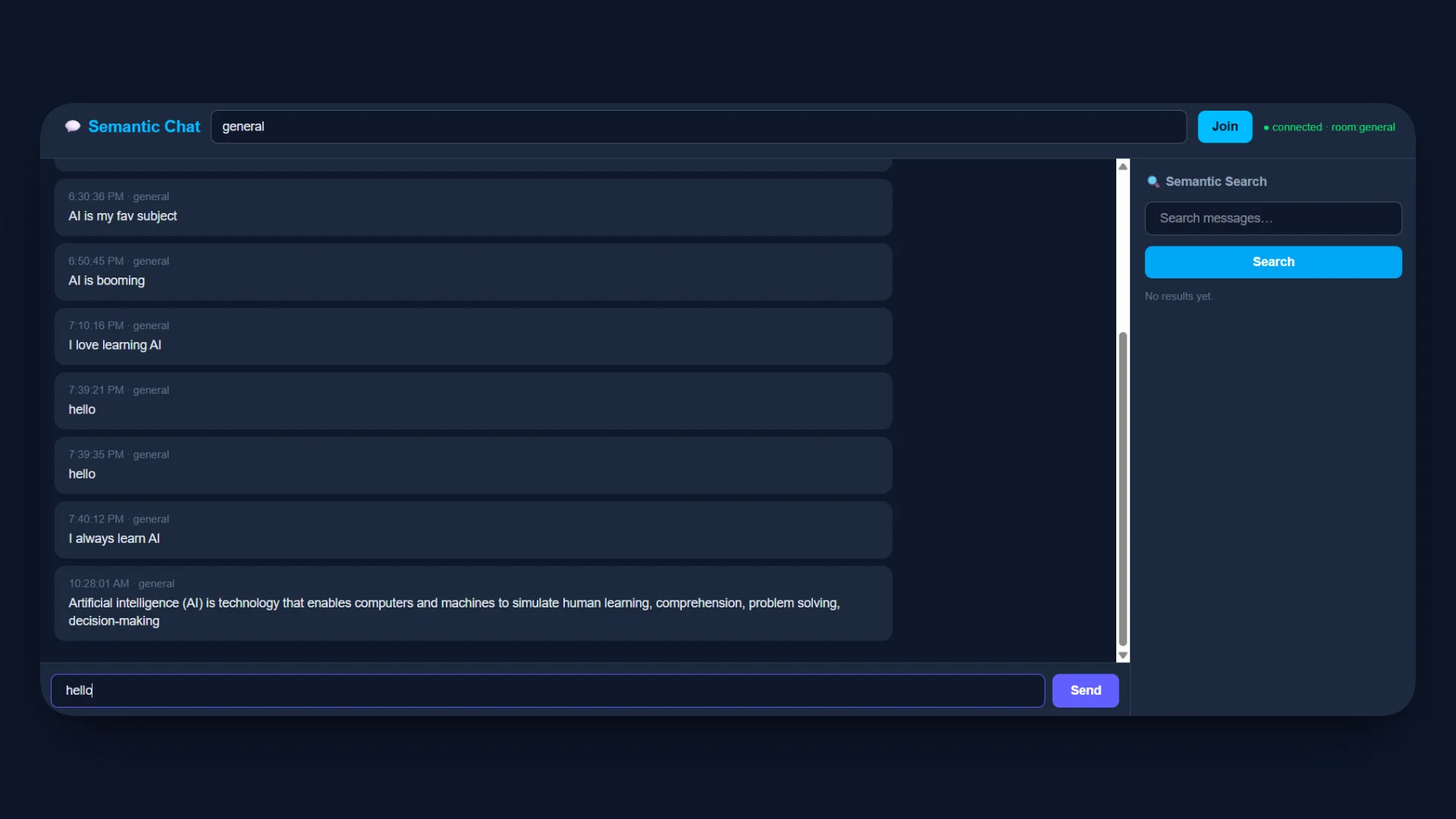
This confirms:
- Gemini embedding executed
- Message inserted into PostgreSQL
- Trigger fired
- Real-time broadcast delivered
Two-Window Realtime Test
- Open the app in two browser windows.
- Join the same room in both.
- Send a message from one window.
- The second window receives the message immediately without refresh.
This validates the room-scoped channel pattern room:<roomId> and InsForge Realtime WebSocket subscription.
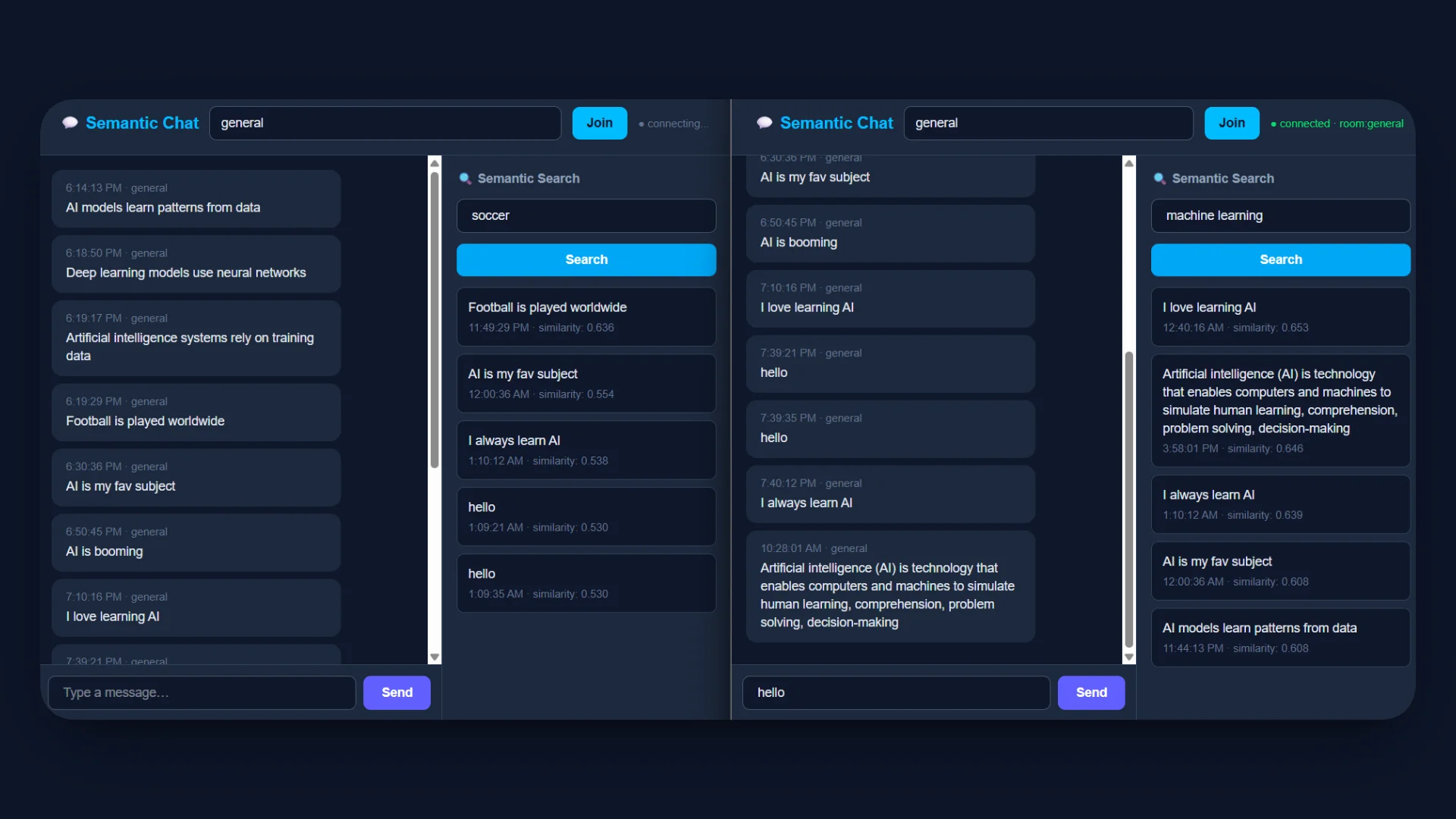
Semantic Search Test
- Send multiple messages with different topics.
- Enter a semantic query in the search panel.
- Results appear ranked with similarity scores between 0.0 and 1.0.
The query flow:
- Query embedding generated with Gemini
embedding-001 match_messagesRPC executed- Cosine similarity computed using
<=> - Results returned ordered by relevance
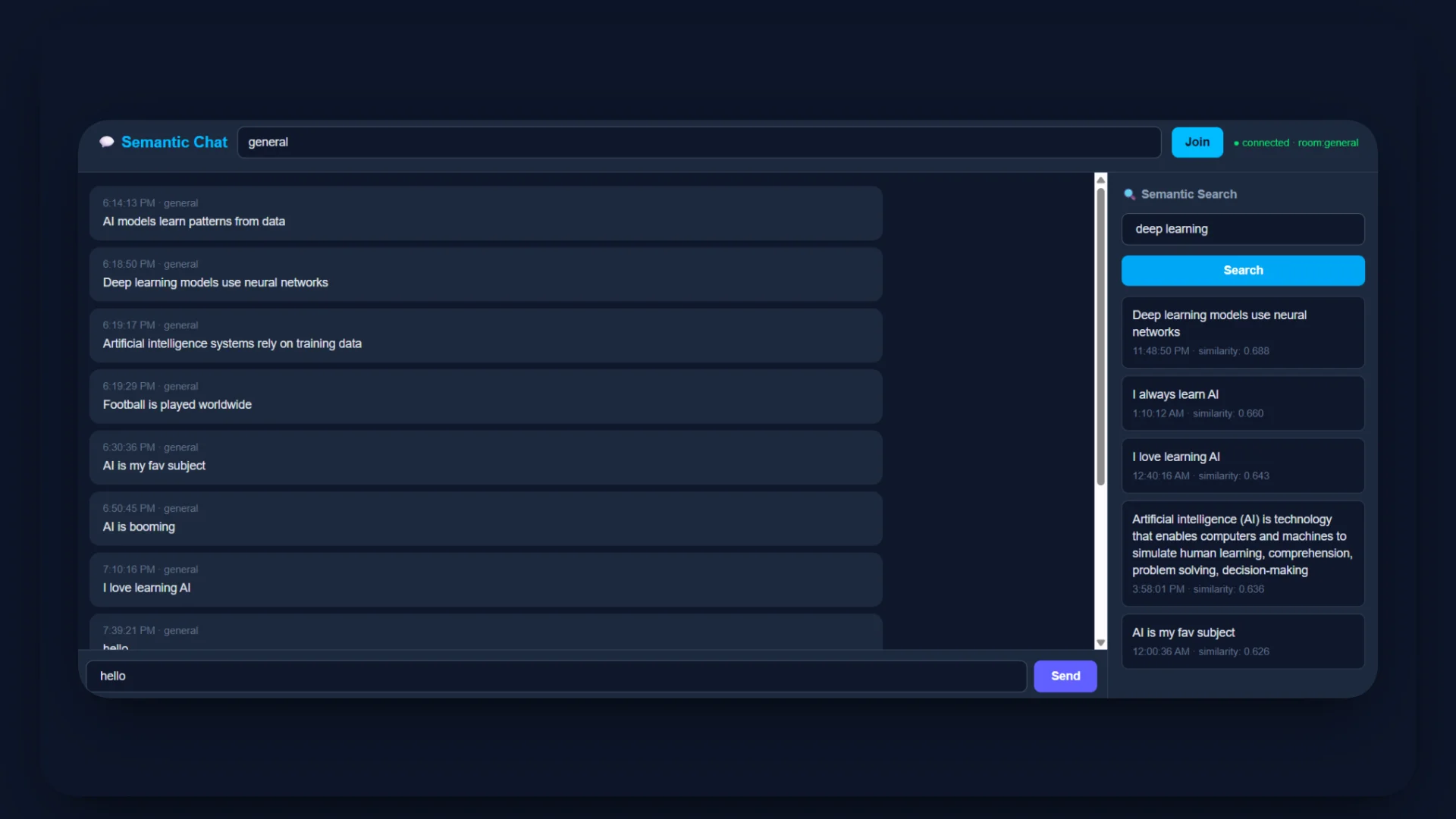
Inspecting in InsForge Dashboard
Open the InsForge dashboard and inspect:
messagestable to confirm embeddings are stored asvector(768)realtime.messagesto verifyNEW_messageevents
- SQL editor to run cosine similarity queries manually
- Functions tab to confirm
match_messages - Indexes to confirm HNSW index exists
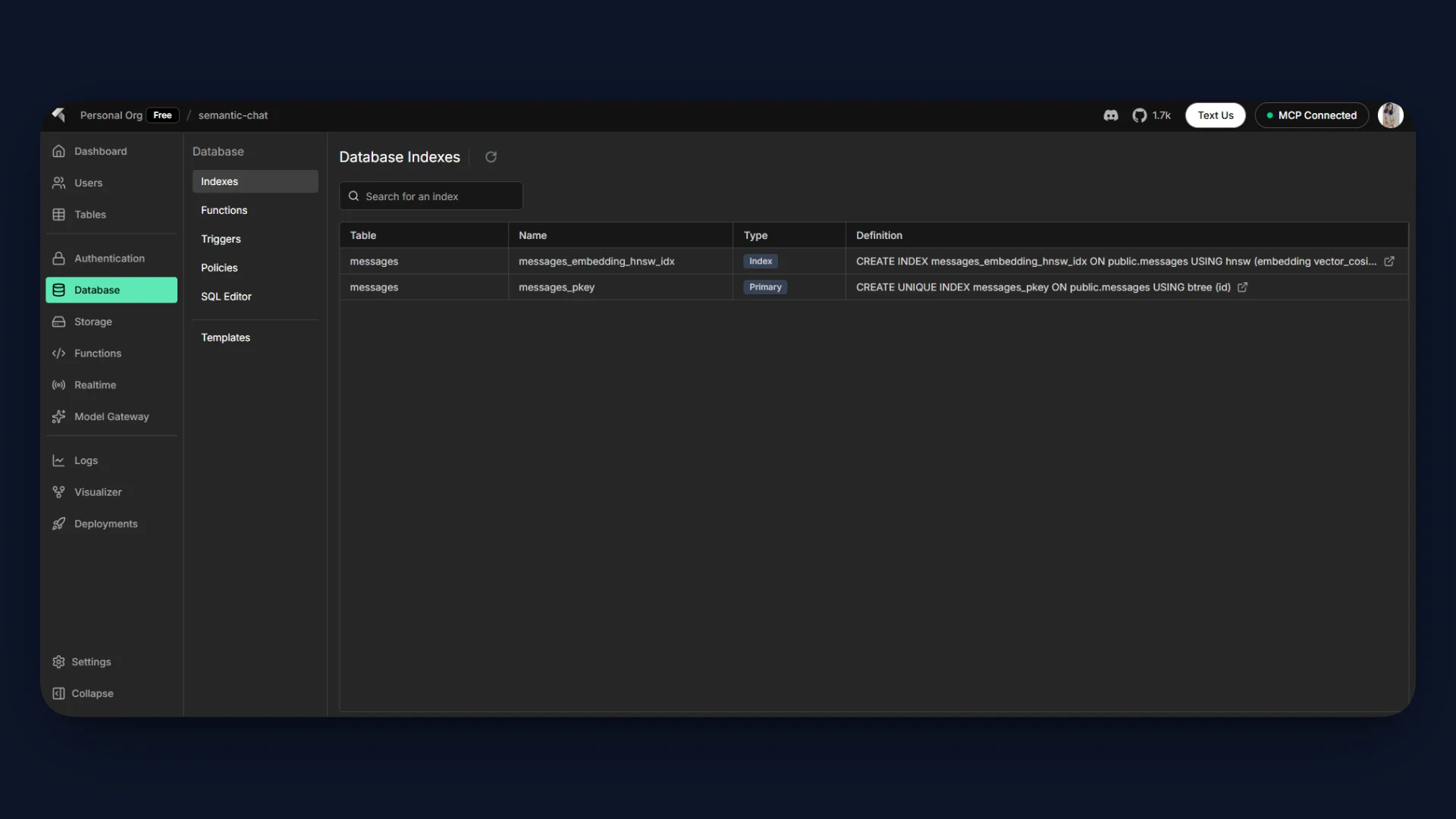
This verifies the full pipeline from embedding to broadcast to semantic retrieval.
Access the deployed live demo here.
Recap
- MCP enables AI agents to control the backend directly from the IDE, including schema changes and infrastructure configuration.
- Realtime messaging is database-driven, using PostgreSQL as the source of truth and InsForge for WebSocket delivery.
- pgvector provides native semantic search through cosine similarity over 768-dimensional embeddings.
- InsForge consolidates database, real-time, hosting, and deployment into a single operational platform.
- The result is a prompt to production workflow optimized for AI-assisted development.
Conclusion
We built a real-time semantic chat application that combines PostgreSQL, pgvector, Gemini embeddings, and InsForge Realtime into a single cohesive system. We stored vector embeddings directly in Postgres, executed cosine similarity search inside the database, and broadcast messages instantly using database-driven real-time.
We managed schema, configuration, and deployment through MCP and the InsForge CLI without manual backend setup. This project demonstrates how AI coding agents and InsForge together reduce friction between idea and production.
If you are building AI native applications, try InsForge. It provides managed PostgreSQL, pgvector support, real-time messaging, authentication, storage, edge functions, MCP-based agent integration, and integrated hosting in one platform.
Connect your coding agent, define your backend in natural language, and deploy with the CLI in minutes. Start building real-time AI-powered applications without stitching multiple services together.