
We just shipped the InsForge Template Marketplace at insforge.dev/templates. It's a browsable storefront for templates that come with InsForge features and infrastructure already wired in. One CLI command downloads the template to your machine:
npx @insforge/cli create --marketplace <slug>
The bigger reason we built this, though, is to give the community a clear, low-friction place to ship templates and get them in front of every InsForge user. This post covers what's there today, and exactly how to add yours.
What's in the Marketplace Today
We're launching with templates that cover the kinds of projects people build most often. Each one has a live demo, a cover, and a README you can read before cloning. You can filter by framework, feature, or category to find the right starting point.
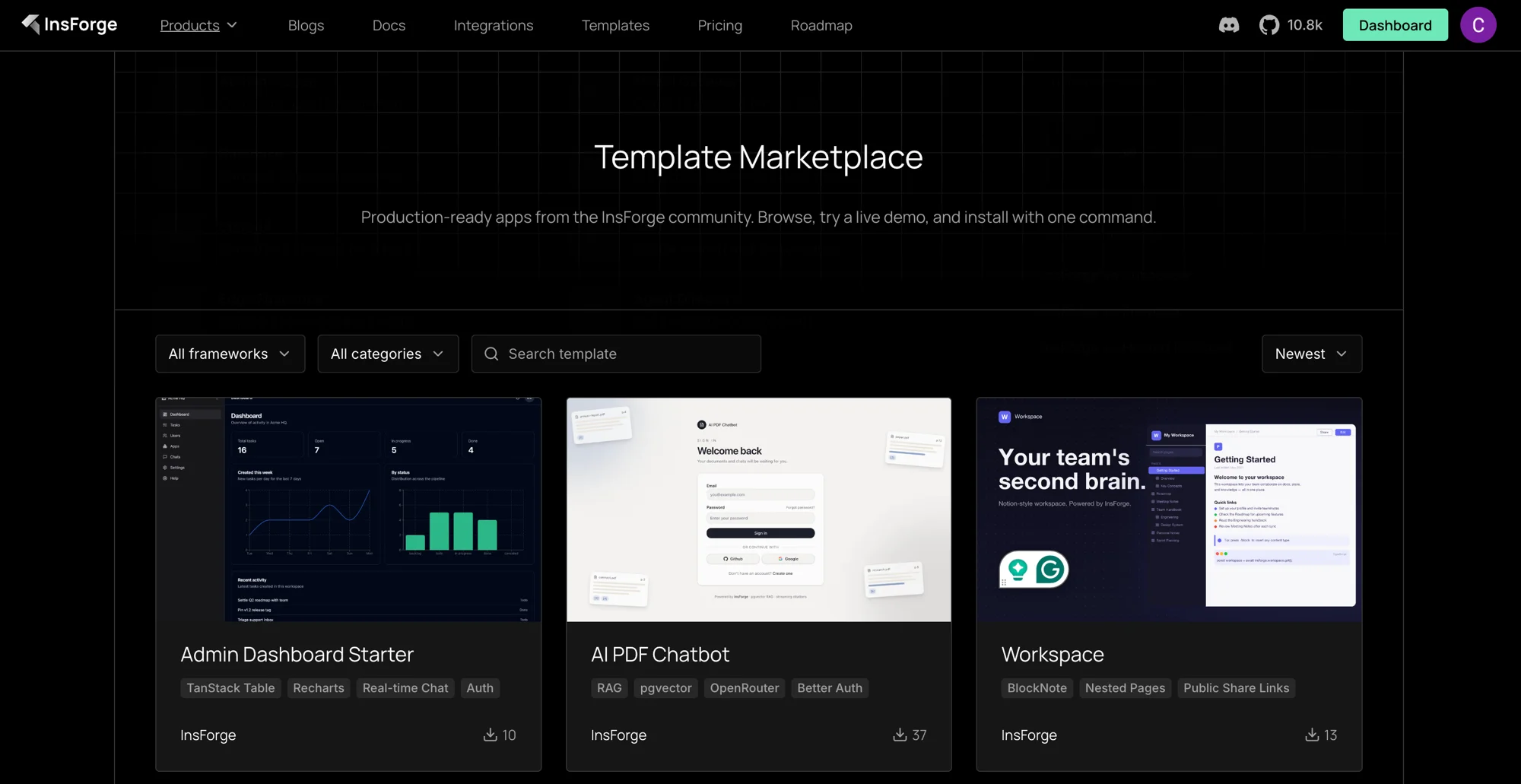
Head to insforge.dev/templates to see the current lineup.
Contribute a Template
This is the part we want to highlight. The marketplace is sourced from the open-source repo. Everything you see at /templates came in through a regular pull request, and yours can too.
The full guide lives in CONTRIBUTING.md, but the short version is:
- Fork and create a branch.
- Add your template as a top-level directory:
<your-slug>/. Include apackage.json,README.md,LICENSE, and a.env.example. - Drop a cover image at
assets/covers/<your-slug>.png(1280×800 recommended, under 1 MB). - Register it in
registry.jsonwith a slug, name, one-line description, category, framework, features, tags, and a demo URL. - Open the PR. The
Validate Registryworkflow runs schema validation, parses your SQL, type-checks your edge functions, and confirms your.env.examplehas no real secrets.
Why Contribute
A few practical reasons:
- Distribution. Every template in the registry is one CLI command away for any InsForge user. That's real reach for whatever you build, with no marketing on your part.
- Lower the floor for the next builder. A good chatbot template, a niche dashboard, a marketplace skeleton. Any of these save someone a week, and that compounds across the community.
- Get credit. Every template carries an
authorfield that shows up on the marketplace card and detail page, so anyone using your template can see who built it.
What Makes a Good Template
A few things we look for during review, mostly common sense:
- Solves a real shape of app. Something a developer would actually start a project from.
- Runs cleanly from a fresh clone.
npm install,.env.localfrom.env.example,npm run dev, and you're up. No hidden setup steps. - Uses InsForge primitives well. Auth, RLS, storage buckets, edge functions, the AI gateway. The point of a template is to show a working pattern.
- Documented honestly. A README that says what the template is, who it's for, what it includes, and how to deploy it.
If you're not sure whether your idea fits, open a discussion before you start building. We'll tell you straight.
Get Started
- Browse: insforge.dev/templates
- Contribute: InsForge/insforge-templates and the CONTRIBUTING guide
- Star us on GitHub
- Follow us on X