

InsForge now supports custom compute.
Bring any Docker container: nginx, Redis, your own Node app. InsForge fronts the URL, the env vars, and the lifecycle. Fly.io machines under the hood. No local Docker daemon, no infra glue.
How It Works
Each service runs as a Docker container on a Fly.io machine. InsForge owns the API, secrets, image builds, and lifecycle. Fly owns the runtime.
Bring a prebuilt image from Docker Hub, GHCR, or ECR:
npx @insforge/cli compute deploy --name my-cache --image redis:7-alpine --port 6379
Or build from your own code with a Dockerfile:
npx @insforge/cli compute deploy ./my-app --name my-api --port 8080
Either path returns a public HTTPS URL in under a minute. Env vars are AES-256-GCM at rest and rotate one-at-a-time with --env-set. Start, stop, destroy from the CLI or the dashboard.
What You'd Ship On It
- Webhook receivers. Stripe, GitHub, anything waiting on a stable URL.
- Background workers. Queue processors and long jobs that outlive an Edge Function timeout.
- AI proxies. Sit between your frontend and OpenAI, Anthropic, or Replicate. Add caching, rate limits, per-user budgets.
- WebSocket servers. Real-time chat, presence, multiplayer lobbies.
- Search backends. Meilisearch, Typesense, Qdrant. All run on a small Fly machine.
- Discord and Slack bots. Long-running, stable URL, can hit your database directly.
Three Prompts
You don't wire this up by hand. InsForge ships skills that teach coding agents how to use the CLI, write a Dockerfile, and connect a service back to the rest of the stack:
- Deploy a Redis container as a cache layer.
- Deploy my Python agent as a persistent service.
- Run a Meilisearch container as our search backend.
Review the diff. Ship.
What Lives Where
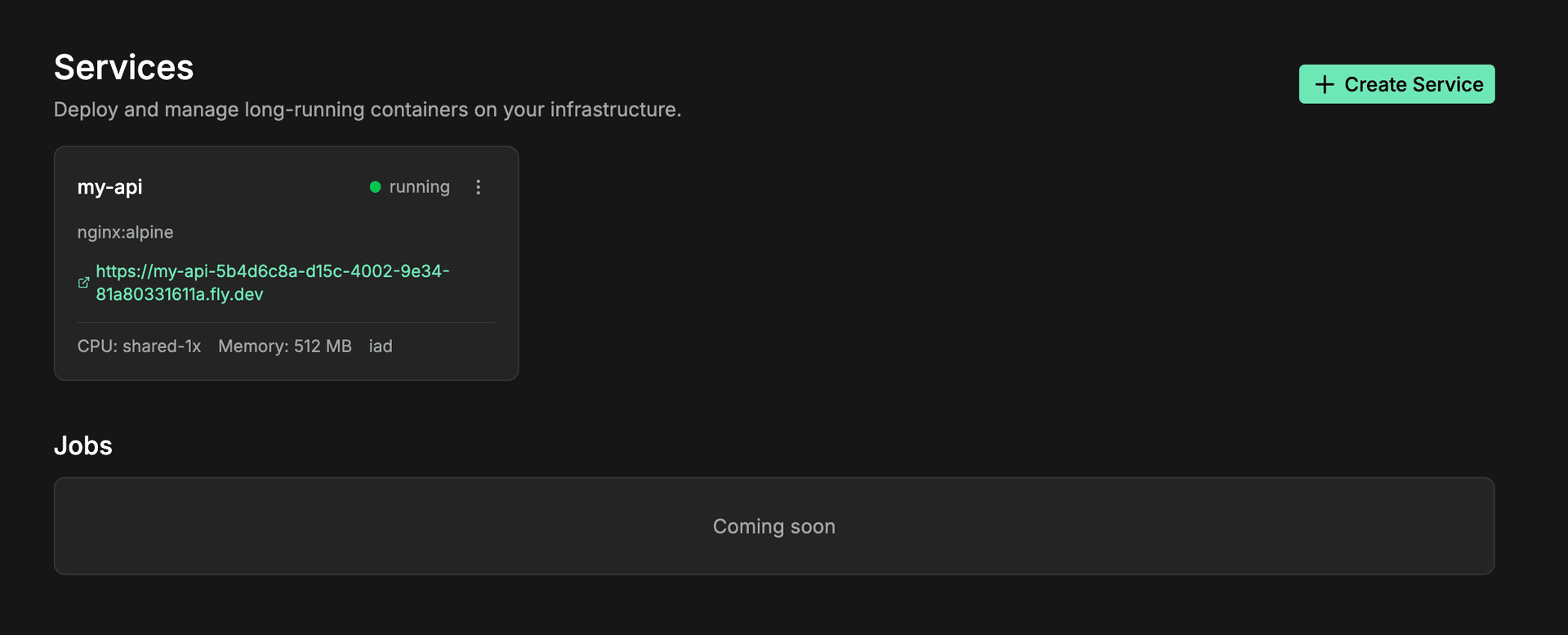
- InsForge Compute dashboard: every service, its status, env keys, public URL.
- InsForge database: any data the container writes back.
- Fly.io: the machine running it. You only see Fly directly if you self-host.
A peek at the Fly machine behind a service, hostname, region, machine size, networking, the whole thing managed for you:
Get Started
npx @insforge/cli compute deploy --name my-api --image nginx:alpine --port 80
- Compute architecture docs
- InsForge CLI
- Say hi in the Discord and tell us what you'd ship on it