

InsForge now supports Apify for web scraping. Connect once and your coding agent can pull data from the web on demand, with no scraper infrastructure to stand up and no API keys to paste around.
One click in the dashboard authorizes your own Apify account, links it to your InsForge project, and fills a Web Scraper page with your actors, runs, and datasets. The access token stays server-side and refreshes on its own, so the connection keeps working without you managing it.
How It Works
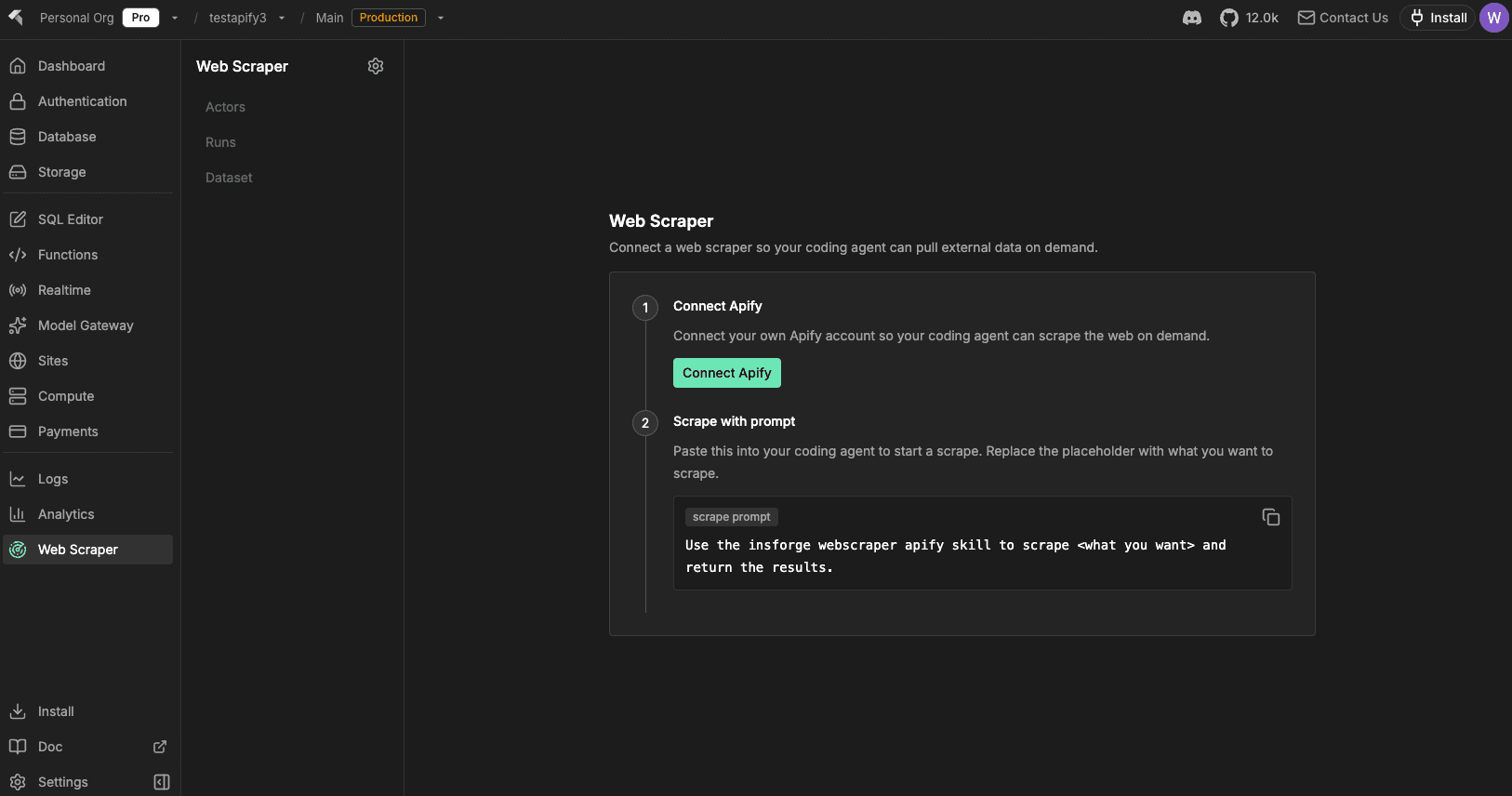
Open Web Scraper in the InsForge dashboard, click Connect Apify, and approve in your own Apify account. The page reloads with your data in seconds.
What You See After Connecting
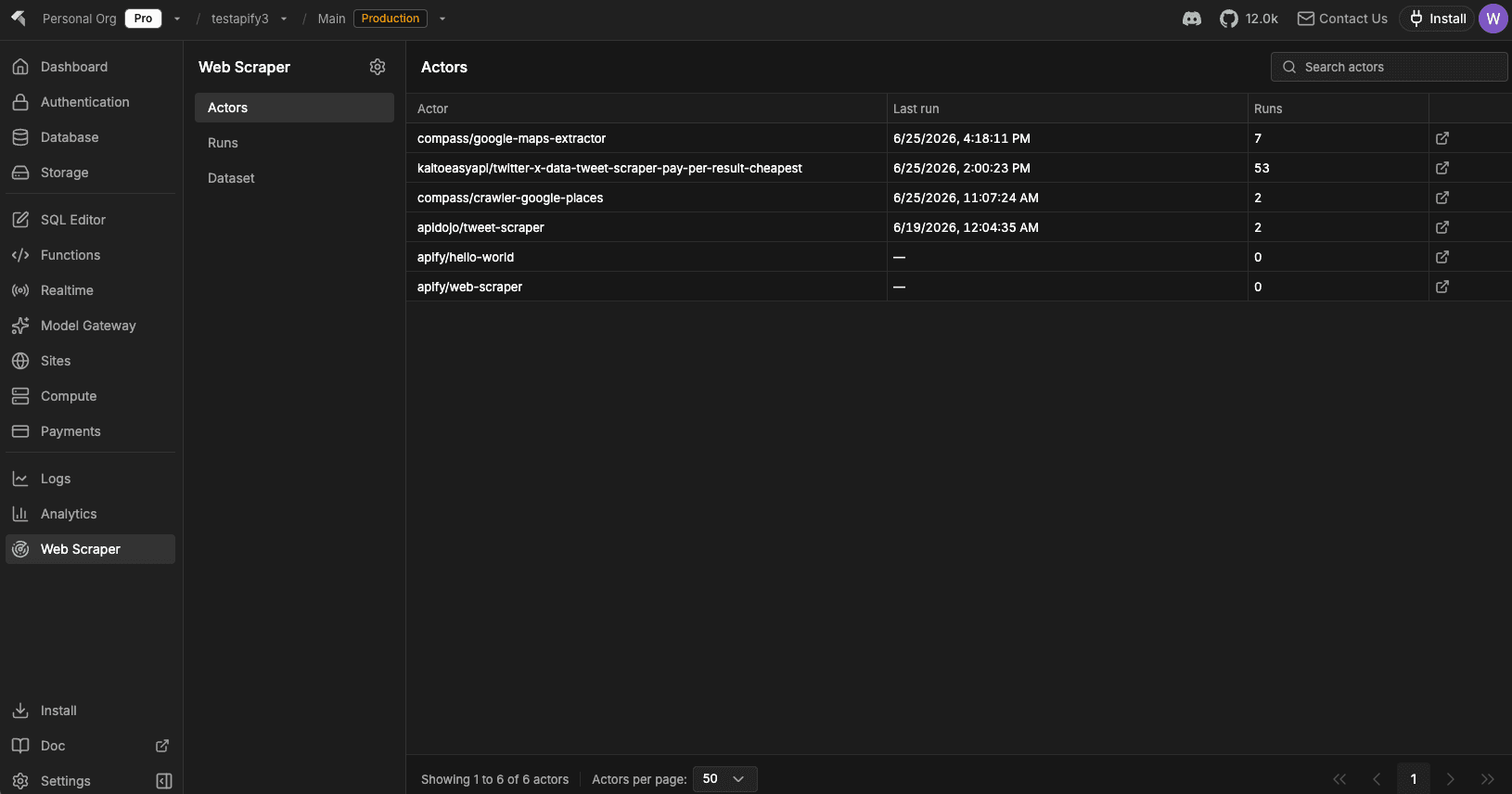
The page opens on three tabs, each a searchable, paginated table that works like the Users grid:
- Actors: the scrapers you have created or used, most-recently-run first, with run counts and last-run time.
- Runs: every run with status, start time, and cost, color-coded by outcome.
- Dataset: your stored datasets with item counts, traceable back to the actor that produced them.
An icon on every row opens that actor, run, or dataset straight in the Apify console.
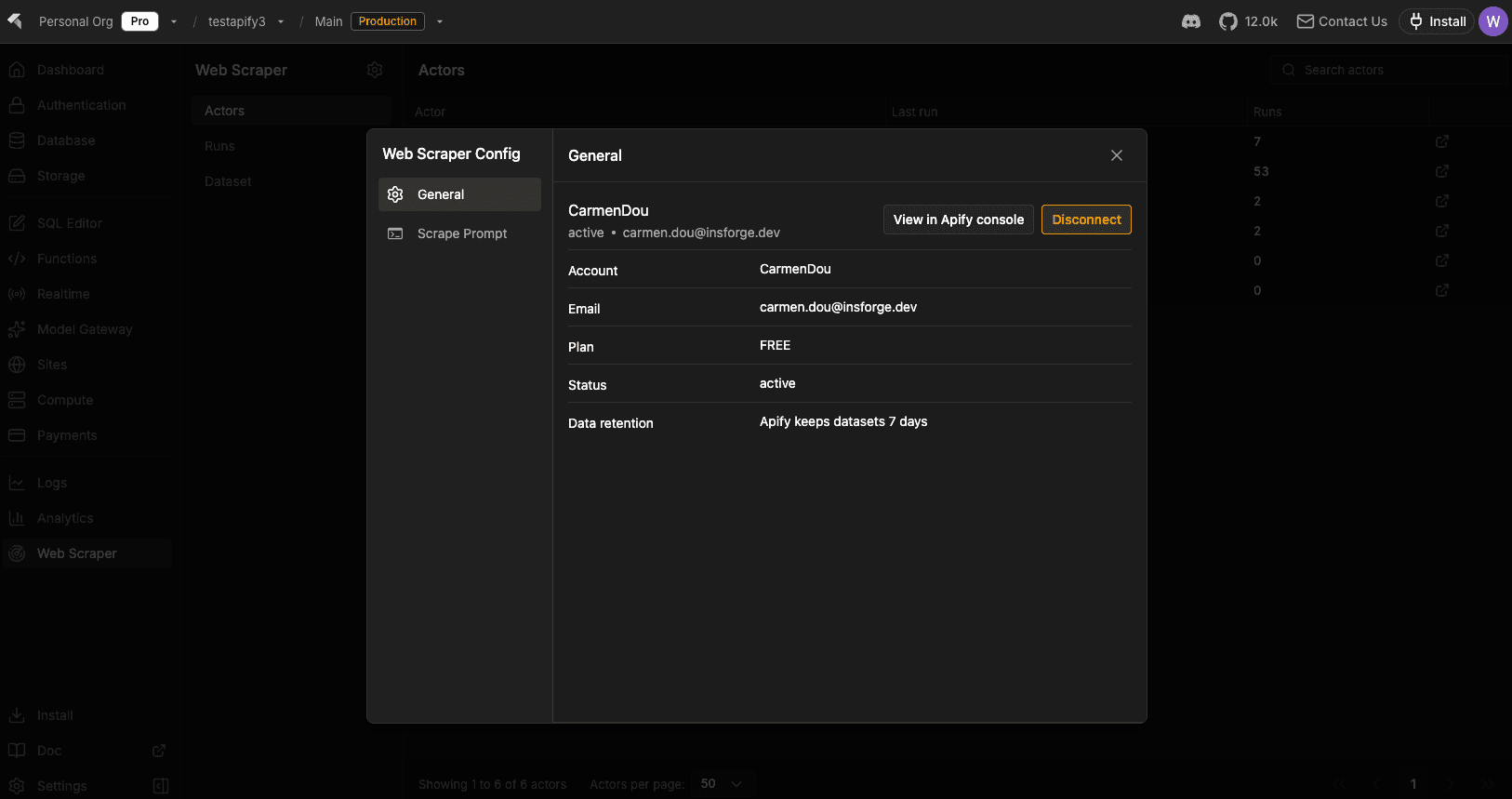
The connection itself lives behind the gear icon next to Web Scraper, a Web Scraper Config dialog with your Apify account, plan, status, and data-retention window, plus disconnect.
Setup for Agents
Connecting the dashboard is half the job. The point is letting your agent scrape. The same page shows a copyable prompt:
Use the insforge webscraper apify skill to scrape <what you want> and return the results.
Paste it into Claude Code, Cursor, or any agent that runs the InsForge skill, replace the placeholder with what you want, and the agent drives Apify through the skill. No manual apify login, no keys to copy around. For headless or CI setups, insforge webscraper apify connect runs the same connect flow from the terminal.